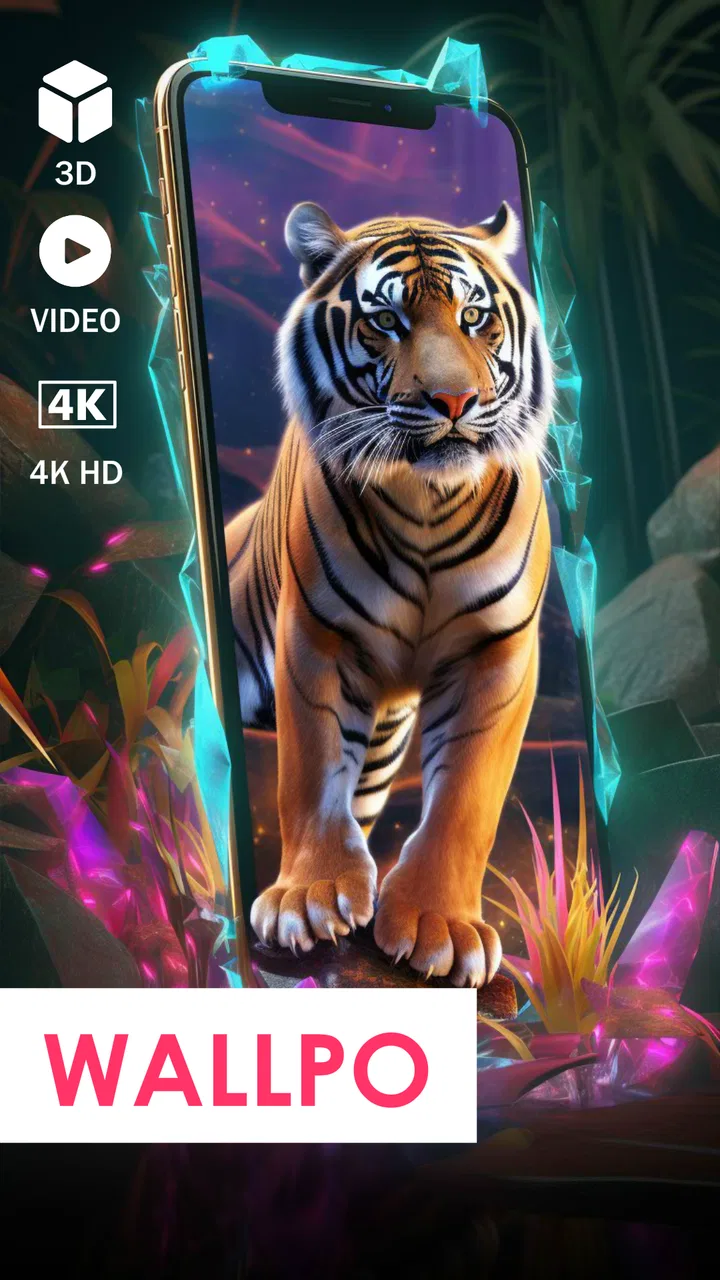
Wallpo: 3D live wallpaper
- 4.1
- Rating
- 1.00M
- Installs
- Free
- Price

 Analysis by App-foxy
I spent time with Wallpo: 3D live wallpaper as a personalization app rather than treating it as just another background picker. Its appeal is easy to understand: it combines a large collection of static designs with moving and three-dimensional options, including choices intended for the lock screen. I found it most interesting when I treated the wallpaper as part of how I use my phone throughout the day, not as a decoration I would change once and forget.
Developed by Poison Studio LLC, the app is free to install and aimed at Teen users. It has built a substantial audience, with over one million installs, and its average rating sits at 4.3 from around thirty-eight thousand ratings. Those figures suggest that the basic idea works for many people, although they do not remove the need to look closely at how a live wallpaper affects readability, attention, battery habits, and everyday access.
My overall impression is positive but selective. Wallpo is a good fit if you want your Android phone to feel more personal and enjoy animated visual effects. It is less convincing for someone who values an extremely quiet interface, needs maximum visual simplicity, or wants detailed control over every element of a wallpaper. The best experience comes from choosing carefully rather than automatically selecting the most dramatic animation.
You May Also Like

 Blood Strike: 2.5 Anniversary
Blood Strike’s Loadouts Turn Every Drop Into a Tactical Gamble
A close look at Blood Strike’s custom loadouts: how fast access to signature weapons reshapes its battle royale rhythm, rewards preparation, and narrows the gap between fights.

 Pandora - Music & Podcasts
Pandora’s Music Is Easy to Start, but Harder to Recover
Pandora’s strength is its low-effort path from a seed to a station. Its weak spot is how much confidence it asks you to place in connection, setup, and quiet recovery.

 8 Ball Pool
 Is Built on Rivalries, Rematches, and Routine
A close look at the rivalries, rematches, shared routines, and unanswered safety questions that turn a quick pool match into a persistent mobile community.

 Samsung Music
’s Quiet Strength Is Playing What You Already Own
Its reach comes less from spectacle than from dependable access to a personal library. That simplicity is both the app’s strongest retention engine and its ceiling.

 AccuWeather: Weather Radar
AccuWeather Review: A Quick, Clear Forecast for Everyday Decisions
For everyday plans, the best forecast is the one you can understand quickly. AccuWeather makes rain timing, radar, and local conditions easy to act on, with a few trade-offs.

 Hill Climb Racing
Why Hill Climb Racing Still Turns Crashes Into One More Run
A tiny car, a bumpy hill and one more upgrade: Hill Climb Racing keeps resurfacing because its simple chaos makes every near-miss feel personal.
More From Our News Desk



Readability and navigation in everyday use
I find that readability is not settled by choosing a wallpaper once; it becomes clear while moving between the lock screen, home screen, and notifications. In this section, I focus on small habits that make browsing and testing less of a chore, especially when you want a distinctive look without slowing down routine checks. That practical approach also leads into how motion and visual complexity can affect different users.
Finding a style without losing the practical side
The collection is presented around the idea of variety: there are thousands of backgrounds, along with video wallpaper and three-dimensional designs. That breadth is useful because different people want very different things from a phone background. I could imagine one person choosing a calm abstract image, another preferring a moving scene, and someone else using a depth effect that makes the home screen feel more layered.
The important point is that a wallpaper is always underneath information. App labels, widgets, notification badges, and the clock still need to be read quickly. A visually impressive image can become a poor choice if bright details sit behind white text or if movement repeatedly passes through the same area as an important widget. I recommend checking the home screen after applying a design, not judging it only from its preview.
For me, the most readable approach was to reserve busier designs for screens with few icons and use calmer backgrounds where I keep several shortcuts. This is a small but meaningful workflow: first decide whether the lock screen or home screen is the priority, then select a background that leaves enough visual breathing room for that screen. It is more effective than choosing the most colorful option and trying to work around it later.
Why the large collection can help and hinder
A wide catalog gives Wallpo more personality than the usual system wallpaper tool, but it can also make choosing feel less direct. When there are many attractive options, browsing becomes part of the experience, and that is enjoyable if you like experimenting. It is less convenient when you simply want a clean background in a minute before leaving home.
I would approach the selection process with a specific goal. For example, search mentally for “dark and quiet,” “high contrast,” or “something that will not compete with text,” even if the app does not use those exact labels. This keeps the browsing session focused. It also helps people who find dense visual galleries tiring, because they are making a decision based on use rather than endlessly comparing images.
Another practical habit is to keep a small rotation of backgrounds that already work with your icons. Instead of changing the wallpaper whenever a new design catches your eye, test a candidate for a few minutes while opening common apps, reading notifications, and checking the lock screen. That reveals problems a preview cannot, especially when animation or depth changes the visual balance.
Text, contrast, and visual comfort
Wallpo is fundamentally visual, so the quality of the experience depends heavily on the design you select. The app can offer attractive choices, but it cannot make every background equally comfortable for every person. Someone with light sensitivity may prefer a still image or a low-key scene, while someone who enjoys motion may find a static background dull. The right decision is personal, and the live aspect should not be treated as automatically better.
I also recommend considering the difference between looking at a wallpaper for a second and looking at it repeatedly throughout the day. A high-detail animated background may seem charming during setup but become distracting when you unlock the phone dozens of times. A simpler design can be more successful because it supports the phone’s information instead of competing with it.
The most useful accessibility-minded choice is often the least flashy one. I found that a background with clear empty space and restrained movement made icons easier to locate and reduced the effort needed to interpret the screen. That does not make the app less creative; it simply places usability before spectacle.
Motor, sensory, and situational considerations
I think the same animated design can feel lively in one setting and tiring in another, so personal preference is only part of the decision. Here I consider how visual motion, screen layout, and the way someone taps or scans a phone can shape comfort, while keeping the advice grounded in choices users can make within Wallpo. From there, it is worth looking at the remaining compromises that no wallpaper selection can remove.
Reducing visual demand
For people who are sensitive to motion, the live wallpaper engine deserves careful consideration. Movement can add depth and atmosphere, but it may also draw the eye away from the icon or notification a person is trying to find. If animated backgrounds feel uncomfortable, a still design is the sensible route. Wallpo’s value does not depend entirely on using motion, since its collection also includes ordinary backgrounds.
I would test a moving wallpaper during normal tasks rather than only while admiring it. Unlock the phone, open the messaging app, check a calendar reminder, and return to the home screen. If the animation makes the transition feel busy or causes you to pause before locating an icon, it is probably not the right choice for that device or user. This simple test is more revealing than a short preview.
Three-dimensional designs can create a stronger sense of depth, but depth is not equally comfortable for everyone. People who prefer flat, predictable visuals may find the effect unnecessary. Others may enjoy the extra separation between foreground and background. I see this as a trade-off rather than a feature that should be recommended universally: visual richness can improve emotional appeal while reducing calmness.
Supporting different motor habits
A wallpaper app does not replace system controls, launchers, or accessibility tools, so its role in motor accessibility is limited. Still, the choice of background can affect how easily a person reaches the intended icon. A busy image behind a tightly packed layout may make targets harder to distinguish, particularly for someone who relies on deliberate taps rather than quick gestures.
My practical suggestion is to pair a detailed design with a less crowded home screen. If the phone is already arranged with many icons, folders, and widgets, select a background with broad areas of consistent color. This creates clearer visual separation without requiring the user to change their entire phone setup. Conversely, if the home screen is minimal, a more expressive design can work without overwhelming the layout.
People who use the lock screen frequently should evaluate that screen separately. A wallpaper that looks fine behind home-screen icons may interfere with the clock, shortcuts, or notification preview. I would apply the design, lock the phone, and check it in both bright and dim surroundings. That is especially worthwhile for anyone who needs to identify information quickly without repeated tapping or swiping.
Using it in different environments
Situational access matters as much as personal preference. In bright outdoor light, a dark or low-contrast background may be harder to interpret, while a very bright animated design can feel harsh indoors. On public transport or in a quiet workplace, motion and strong colors may attract more attention than you want. A wallpaper that feels fun at home can become distracting in a shared environment.
I like the idea of choosing backgrounds according to context, but Wallpo works best when the user is willing to manage that choice manually. One setup could prioritize calm readability for work, while another could be more expressive for personal time. The app gives you the raw material for that distinction, but the phone’s broader personalization tools determine how quickly you can switch between arrangements.
There is also a battery-related trade-off to keep in mind. Live and three-dimensional wallpapers involve more activity than a simple still image, although the actual effect will depend on the phone and how the wallpaper behaves. If battery life is a major concern, I would begin with a static background and move to animation only if the visual benefit feels worthwhile. This is particularly sensible on an older device or during a long day away from a charger.
What the app is like for different users
Wallpo is a natural match for people who enjoy customizing Android beyond the default options. It is also useful for anyone who wants a quick way to refresh a familiar phone without changing the launcher, icon arrangement, or widgets. A new background can make an old device feel different while leaving the rest of the setup intact.
It is less suitable for users who want a strictly functional home screen. If your priority is instant recognition, low stimulation, and minimal maintenance, the standard system wallpaper picker may be a better option. The same applies if you dislike browsing large collections or do not want to think about whether motion is helping or hurting your daily routine.
People who need highly specific visual requirements should also be cautious. The app offers variety, but variety is not the same as guaranteed suitability. If you require a particular contrast relationship, a very precise color scheme, or a consistently distraction-free presentation, you may get better results by creating or selecting a simple image that you can evaluate in advance.
Remaining barriers and practical trade-offs
My main takeaway is that a polished visual effect still has to fit the phone, the person, and the moment it is used. This section weighs the practical limits of choosing and maintaining a background, including when a simpler system option may serve someone better. I also consider how to make a sensible trial before spending money or committing to a more animated setup.
Free access with optional spending
The app is free, which makes it easy to try without committing money at the start. It also includes in-app purchases ranging from $1.99 to $9.99 per item. I see that as a reasonable arrangement for a personalization app, provided you are comfortable treating premium-looking choices as optional rather than necessary.
My advice is to use the free experience long enough to answer a practical question: do you actually want animated or three-dimensional wallpaper on your phone every day? If the answer is no, spending more will not solve the underlying issue. If the answer is yes, then an optional purchase may make sense, but only after you have confirmed that motion, readability, and battery behavior suit your device.
Device and software expectations
Wallpo supports Android 7.0 and newer, which gives it a broad compatibility range. That does not mean every phone will deliver the same experience. Older hardware may feel less comfortable with visually demanding backgrounds, and different Android interfaces can present lock-screen and home-screen behavior in their own ways.
The current version is 12.2, so I would keep the app updated through the normal store process when updates are available. More importantly, I would judge the result on the actual phone rather than assuming that a design shown in a preview will look identical on every screen. Display size, brightness, icon layout, and system theme all influence the final result.
Comparing it with ordinary alternatives
The built-in Android wallpaper picker is usually faster and calmer. It tends to be the better choice when you want a dependable still image, minimal browsing, and fewer decisions. Wallpo earns its place by offering a more expressive range, particularly for people who want video or depth effects rather than a conventional photograph or color field.
Dedicated wallpaper websites and image apps can provide more control if you prefer to search for one exact picture. They may be better for users who want a personal photo, a carefully edited design, or a background made to match a particular icon pack. Wallpo is more convenient for discovery because its purpose is already focused on phone backgrounds, but that convenience may come with less control over the original image and its presentation.
Launcher customization tools are another alternative, although they solve a broader problem. A launcher can change layout, gestures, icon placement, and other parts of the home screen, while Wallpo concentrates on the visual layer behind those elements. If your frustration is mainly that the phone feels visually plain, this app is a simpler intervention. If your issue is navigation or organization, a wallpaper alone will not be enough.
A realistic daily scenario
Imagine checking your phone during a busy morning. You unlock it to read a reminder, tap a calendar widget, answer a message, and lock the screen again. In that situation, the best Wallpo choice is not necessarily the most impressive one. A restrained background with enough empty space can make the reminder and icons easier to identify, while a fast-moving scene may turn each quick check into a small visual interruption.
Later, when you have more time, you might choose a three-dimensional design for a personal device used mainly for entertainment. That is where the app feels strongest: it lets the phone reflect mood and taste without requiring a complete redesign. The same user can reasonably prefer a calm background for work hours and a more animated one at home, as long as switching does not become an unwanted chore.
What I would improve in my own setup
I would begin with a still background, test it behind both icons and lock-screen information, and only then try a live option. I would also avoid placing the brightest or most active part of an image where the clock and notification text appear. This kind of deliberate placement is a small advanced habit, but it prevents many of the frustrations people blame on the app itself.
I would also keep an eye on how often I notice the animation. If I am admiring it every time I unlock the phone, that may be a sign that it is working as intended. If I am waiting for it to settle before finding an icon, it has crossed the line into interference. The right wallpaper should support the phone’s personality without making ordinary tasks slower.
My inclusive verdict on Wallpo
After using Wallpo as a real personalization tool, I think it succeeds because it gives Android users more expressive choices than the standard wallpaper experience. Its combination of static, video, lock-screen, and three-dimensional styles makes it appealing to people who want their device to feel distinctive. The free entry point also makes experimentation straightforward, while optional purchases let interested users spend only if the extra customization feels worthwhile.
Its accessibility story is more about user choice than specialized assistance. You can select a calmer image instead of a moving one, favor clear backgrounds over dense designs, and match the wallpaper to the screen where readability matters most. Those choices can make the phone more comfortable for different visual preferences and situations, but they require personal testing. I would not assume that every design will suit every user simply because the catalog is large.
The main barriers are visual overload, possible distraction from motion, and the practical trade-off between richer effects and a quieter phone experience. Browsing can also take longer than using the built-in picker, and people who need exact control over contrast or composition may prefer a custom image. These are not reasons to avoid the app entirely; they are reasons to use it with a clear purpose.
For a friend who enjoys refreshing their phone’s appearance, I would recommend trying Wallpo, starting with a still design and then testing live or three-dimensional options. I would especially recommend it to users who want personalization without replacing their launcher. I would skip it if my priority were absolute simplicity, strict visual predictability, or the fastest possible setup.
In the end, Wallpo: 3D live wallpaper is at its best when customization remains subordinate to comfort. Choose a background that leaves text readable, keep motion within your tolerance, and judge the result during real tasks rather than from a preview alone. Used that way, Poison Studio LLC’s app can make an Android phone feel more personal while still respecting the different ways people see, tap, read, and use their screens.
FAQs for Wallpo: 3D live wallpaper
01What is Wallpo: 3D Live Wallpaper and how does it work?
Wallpo: 3D Live Wallpaper is an innovative application that allows users to customize their device screens with dynamic and interactive 3D wallpapers. By utilizing the device's sensors, the app creates a parallax effect, giving the illusion of depth and movement as you tilt your phone. It offers a variety of themes and designs to match your personal style and enhance your device's appearance.
02Is Wallpo: 3D Live Wallpaper compatible with my device?
Wallpo is designed to be compatible with both Android and iOS devices. However, it is important to ensure that your device meets the app's minimum system requirements, such as having a recent operating system version and sufficient processing power, to fully experience the interactive 3D effects without any lag or issues.
03Does Wallpo: 3D Live Wallpaper drain battery life?
While Wallpo: 3D Live Wallpaper enhances your device's aesthetics with its interactive features, it may slightly increase battery consumption due to its dynamic nature. The app is optimized to minimize battery usage, but users should be aware of potential increased power demand, especially if running on older devices or with maximal settings.
04What customization options are available in Wallpo: 3D Live Wallpaper?
Wallpo offers a wide range of customization options, allowing users to select from various 3D themes and adjust settings such as animation speed, depth effect, and brightness. Additionally, users can upload their own images to create personalized 3D wallpapers, making the app highly versatile for different preferences and styles.
05Is there a cost associated with using Wallpo: 3D Live Wallpaper?
Wallpo: 3D Live Wallpaper is available as a free download with basic features. However, it offers in-app purchases for premium themes and additional customization options. Users can choose to unlock these features individually or through a subscription model, providing flexibility in how they choose to enhance their device's display.
Pros
- Stunning 3D visuals enhance device aesthetics.
- Regular updates with new wallpapers.
- User-friendly interface for easy navigation.
- Low battery consumption compared to other apps.
- Customizable settings for personalized experience.
Cons
- Limited free content; many options are paid.
- May lag on older devices.
- Requires internet for full functionality.
- Ads can be intrusive at times.
- Large app size may affect storage space.

Wallpo: 3D live wallpaper
Gallery